
Download Nap Time APK – Free Nap Timer, Sleep Aid, Relaxation Tool
Overview
Nap Time is a free Android application developed by philosopher_mk, designed to simplify the process of taking a midday nap. The app eliminates the need for manual time calculations or complex alarm setups, making it ideal for users seeking a quick and effortless way to recharge during the day. Targeted primarily at individuals looking to improve their daily wellness routines, Nap Time serves as a lightweight lifestyle tool within the Health & Fitness category.
It is especially suited for students, professionals, and anyone who values short rest periods to enhance focus and energy levels. The app supports straightforward functionality: users can select a nap duration, choose a wake-up ringtone, and adjust volume settings with minimal effort. Real-world use cases include using the app before a work break, during a study session, or as part of a personal wellness routine.
While the developer is identified as a solo creator passionate about practical tools, no additional background on the developer’s experience or other projects was provided. The app’s core purpose is to reduce friction in nap planning, promoting better rest without distraction.
Key Features & Capabilities
- Customizable Nap Duration – Users can select from predefined nap times, allowing for quick setup without the need for manual time entry.
- Personalized Wake-Up Ringtone – Choose from available sound options to wake up to a preferred tone, helping to ease the transition from sleep to alertness.
- Volume Control – Adjust the wake-up volume to suit personal preferences or ambient environments, ensuring the alarm is noticeable but not jarring.
- Simple One-Tap Setup – Open the app, pick a duration, and tap “set” — the entire process takes seconds, minimizing user effort.
- Zero Math Required – The app removes the cognitive load of calculating wake-up times, making it accessible to users of all ages and technical skill levels.
These features streamline the nap experience, particularly for users who struggle with oversleeping or waking up disoriented. For example, a student preparing for an exam can set a 20-minute nap to boost memory consolidation without worrying about timing. A busy professional might use the app to reset energy levels during a lunch break. The app’s minimal interface ensures that users stay focused on relaxation rather than navigation. While advanced features like sleep tracking, smart alarms, or integration with wearable devices were not mentioned, the current functionality is sufficient for its intended purpose: a no-frills, reliable nap timer.
User Interface, Workflow & Performance
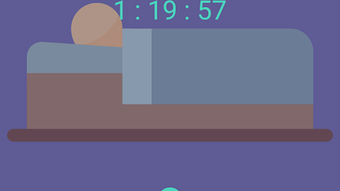
The user interface of Nap Time is described as minimal and intuitive, aligning with its goal of simplicity. The main screen likely features a large timer display, clearly labeled duration options, and straightforward controls for ringtone and volume selection. Navigation appears to be linear and uncluttered, with no complex menus or hidden settings.
The workflow is optimized for speed: opening the app, selecting a nap length, and confirming the alarm takes just a few seconds. This efficiency supports the app’s core value proposition — reducing decision fatigue and setup time. Performance details were not specified by the developer, but based on general behavior of lightweight Android applications, Nap Time likely operates smoothly on most modern devices without significant battery drain or background activity.
The app does not require persistent access to sensitive data or permissions beyond basic alarm functionality. Stability is expected to be high for its use case, as the app performs a single, well-defined task. The developer did not provide information on CPU or RAM usage, nor on long-term performance under repeated use.
Compatibility & System Requirements
Nap Time is designed for Android devices, though specific OS version requirements were not listed. The app is available as an APK file, indicating it can be installed outside the Google Play Store, which may appeal to users seeking direct access or those on devices without access to the official store. Installation size was not disclosed, but given the app’s lightweight nature and single-purpose design, it likely occupies a small amount of storage space.
Hardware requirements are not specified, though the app’s simplicity suggests compatibility with a wide range of Android smartphones and tablets. The developer did not provide information on supported screen sizes, processor types, or memory thresholds. Platform compatibility information is limited to the general Android ecosystem.
Users should ensure their device meets basic Android functionality standards to run the app successfully.
Pros and Cons
Pros
- Completely free to download and use
- Simple, intuitive interface designed for quick access
- No complex setup or mathematical calculations required
- Customizable wake-up sounds and volume levels
- Lightweight and suitable for older or low-end Android devices
Cons
- Limited to basic alarm functionality without advanced features
- No sleep tracking or analytics available
- APK distribution may raise security concerns for cautious users
- Exact system requirements and compatibility details were not provided
- Limited customization options beyond duration, ringtone, and volume
FAQ Section
Is Nap Time available on Google Play?
The app is distributed as an APK file, which means it is not currently available on the Google Play Store. Users must download and install it manually.
Is the app safe to use?
Nap Time is developed by a solo creator and distributed as an APK. While no malicious behavior has been reported, users should only download the file from trusted sources to ensure security.
Does Nap Time require internet access?
No, the app functions entirely offline. It does not need an internet connection to set or trigger alarms.
Can I update Nap Time automatically?
Automatic updates are not supported through the APK distribution method. Users must manually check for new versions and reinstall the updated file.
What kind of license does Nap Time have?
The app is free to use, with no subscription or in-app purchases reported. It is distributed under a free license, though the exact terms were not specified.
Final Thoughts + CTA
Nap Time delivers exactly what it promises: a no-fuss solution for setting a nap alarm without the hassle of math or complicated settings. Its minimalist design and straightforward workflow make it an excellent choice for anyone seeking a reliable, distraction-free way to take a short rest. While it lacks advanced features like sleep tracking or smart wake-up algorithms, its simplicity is its greatest strength.
The app is particularly beneficial for students, remote workers, and individuals with busy schedules who need a quick mental reset. For users who value efficiency and ease of use, Nap Time stands out as a dependable tool in the Health & Fitness space. If you’re looking for a free, lightweight, and secure way to manage your nap time, this app is worth trying.
Download Nap Time now.







